飞书接入
究极省事版,5 分钟把 OpenClaw 接入飞书。飞书支持长连接事件订阅,不需要公网 IP 或 Webhook,部署在服务器上直接可用。
前提:已完成 OpenClaw 服务器部署并跑通基础对话。还没部署的先看服务器部署实战。
第一步:安装飞书插件
最省事的方式是直接和你的 OpenClaw 机器人对话,告诉它安装飞书插件:
我要让 OpenClaw 接入飞书,请在服务器上执行:
openclaw plugins install @m1heng-clawd/feishu
它会先给出安装步骤,然后询问要不要替你执行安装。
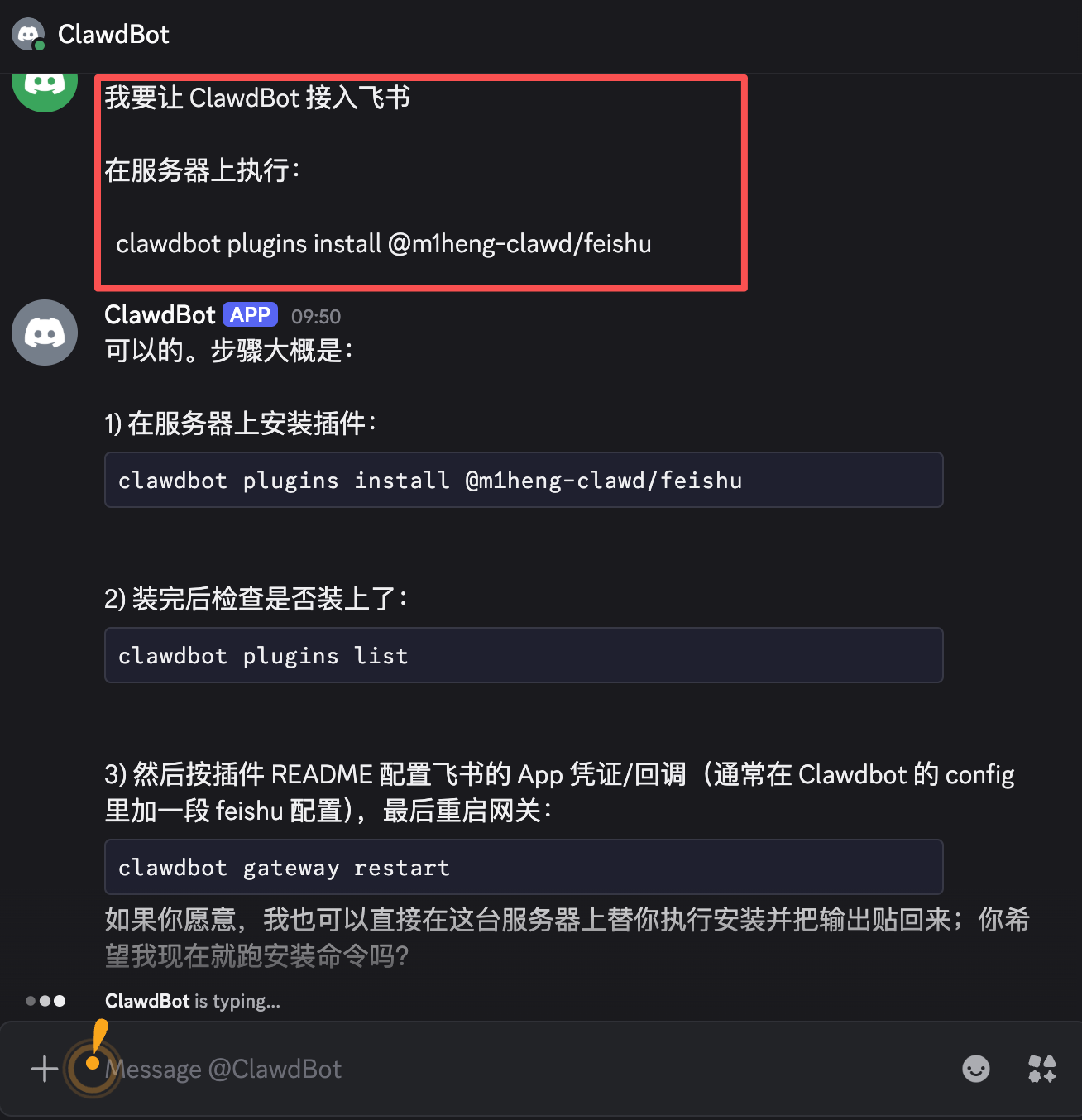
确认执行,等大概 1 分钟,安装完成。
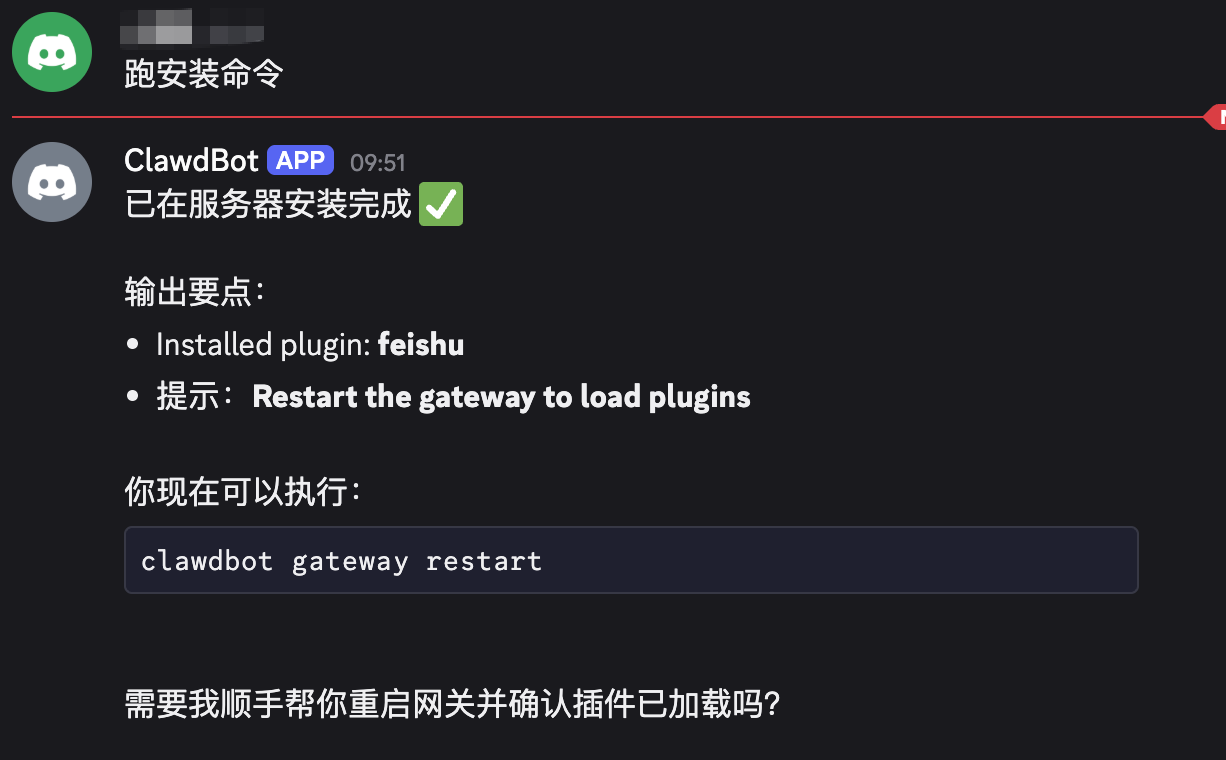
后续步骤也是直接让它执行并确认,只需要看结果就行。
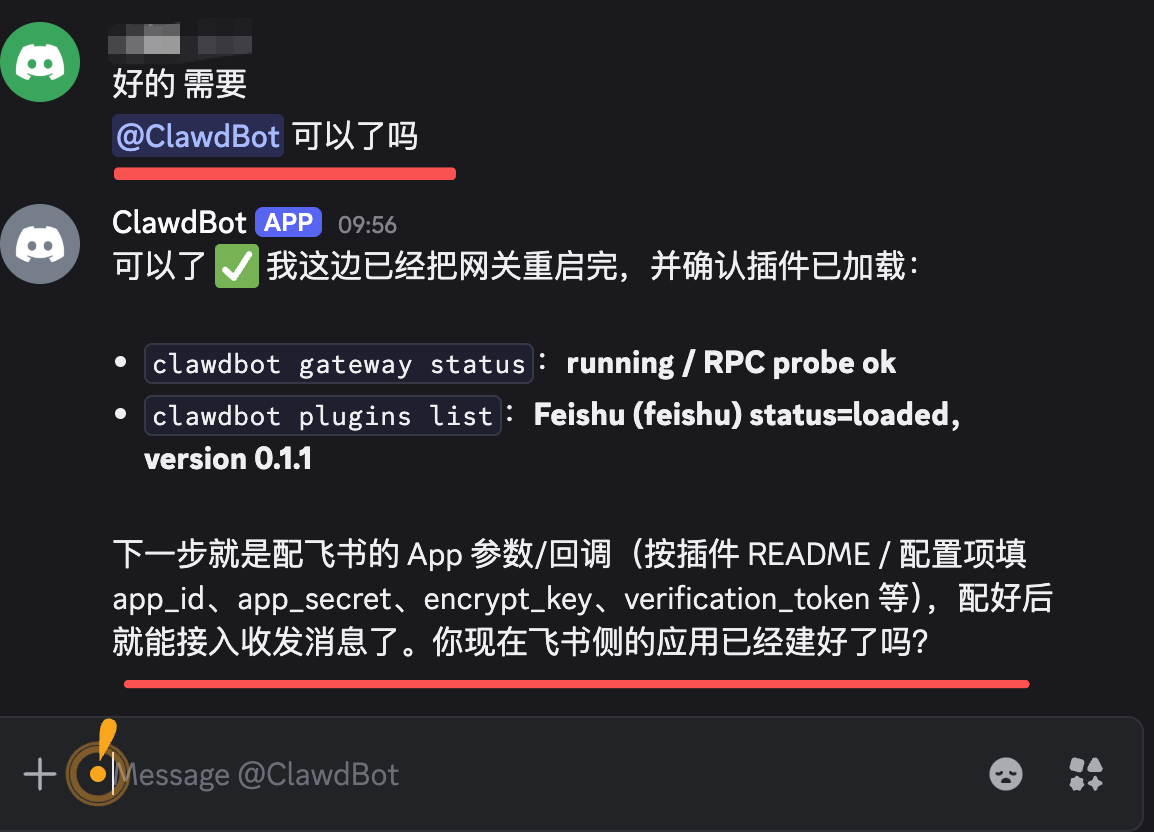
第二步:飞书开放平台配置
下面这几步需要自己在飞书开放平台操作,5 分钟左右。
1. 创建应用
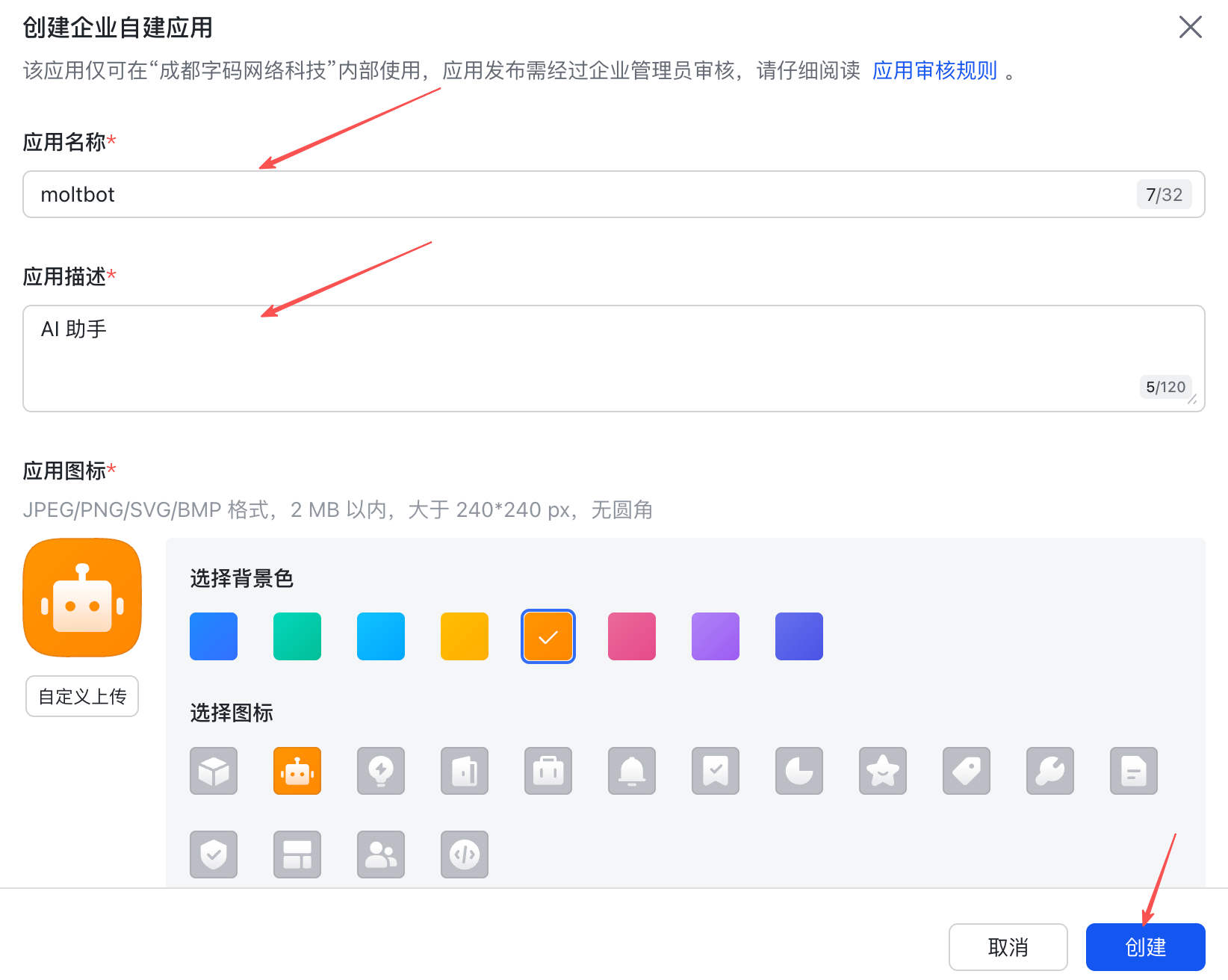
打开飞书开放平台:open.feishu.cn/app
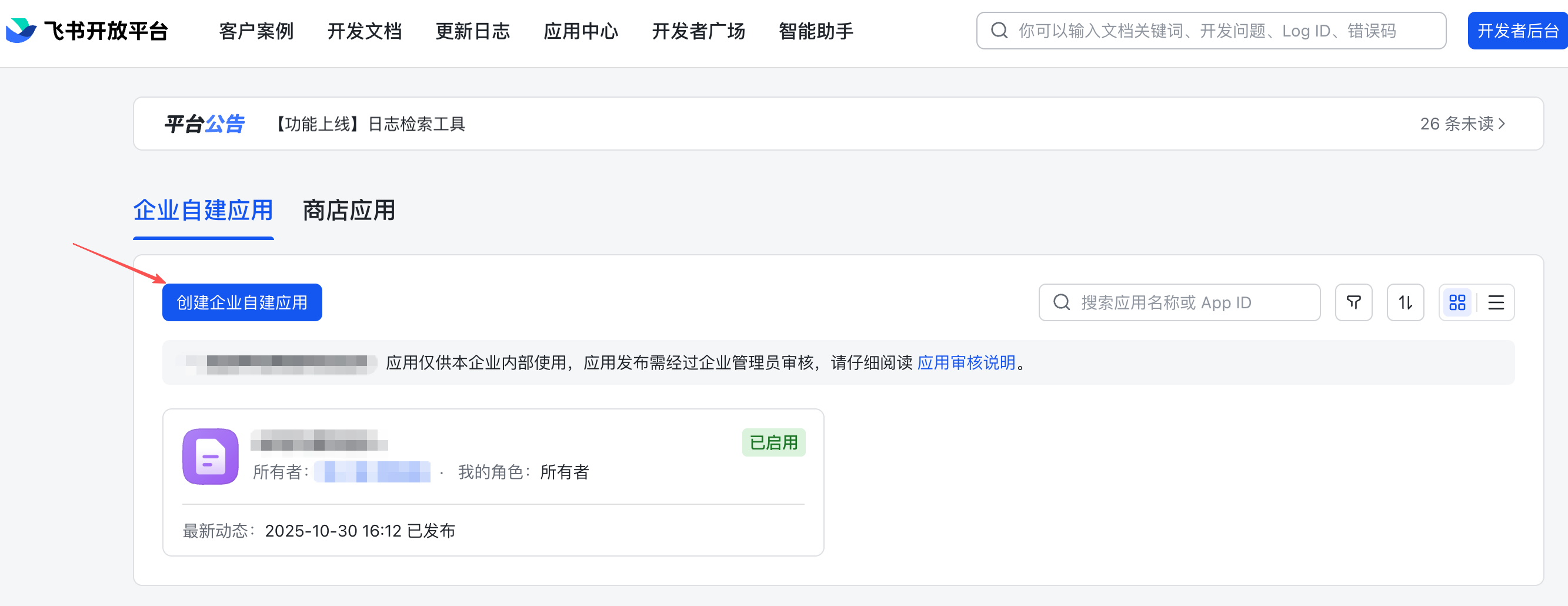
填应用名称和描述,点创建。
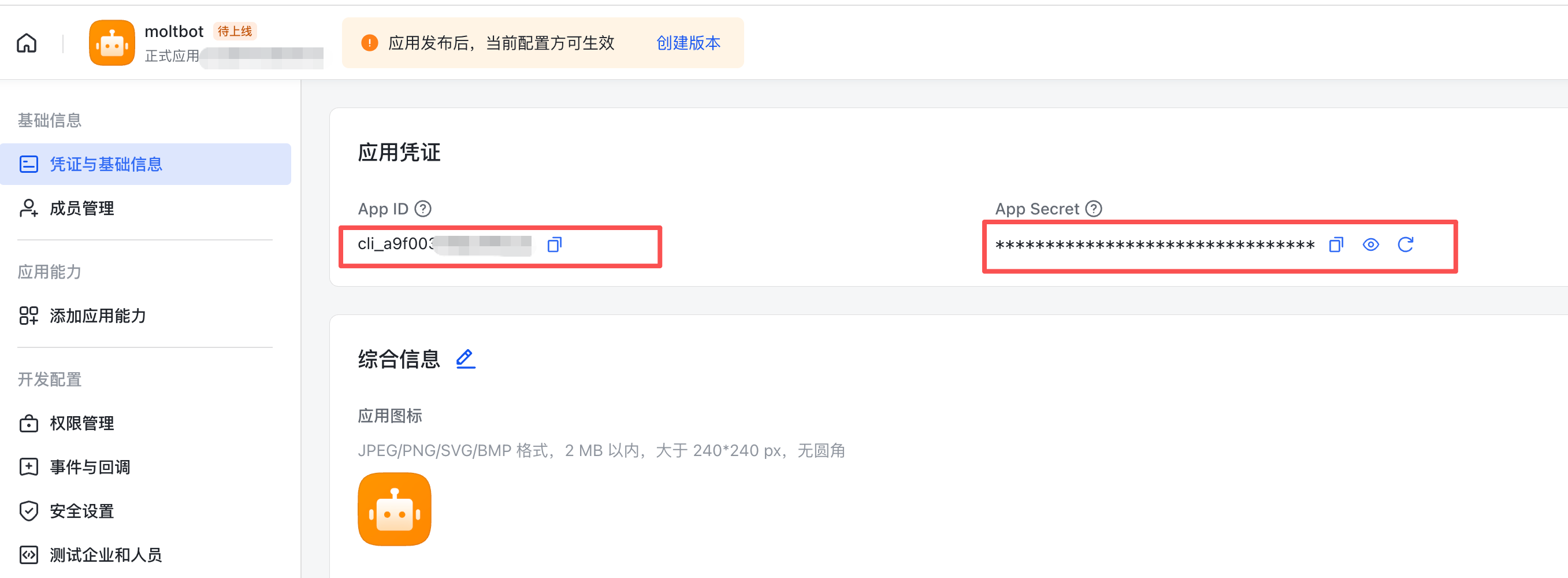
进入应用详情页,在「凭证与基础信息」获取 App ID 和 App Secret,保存备用。
2. 配置权限
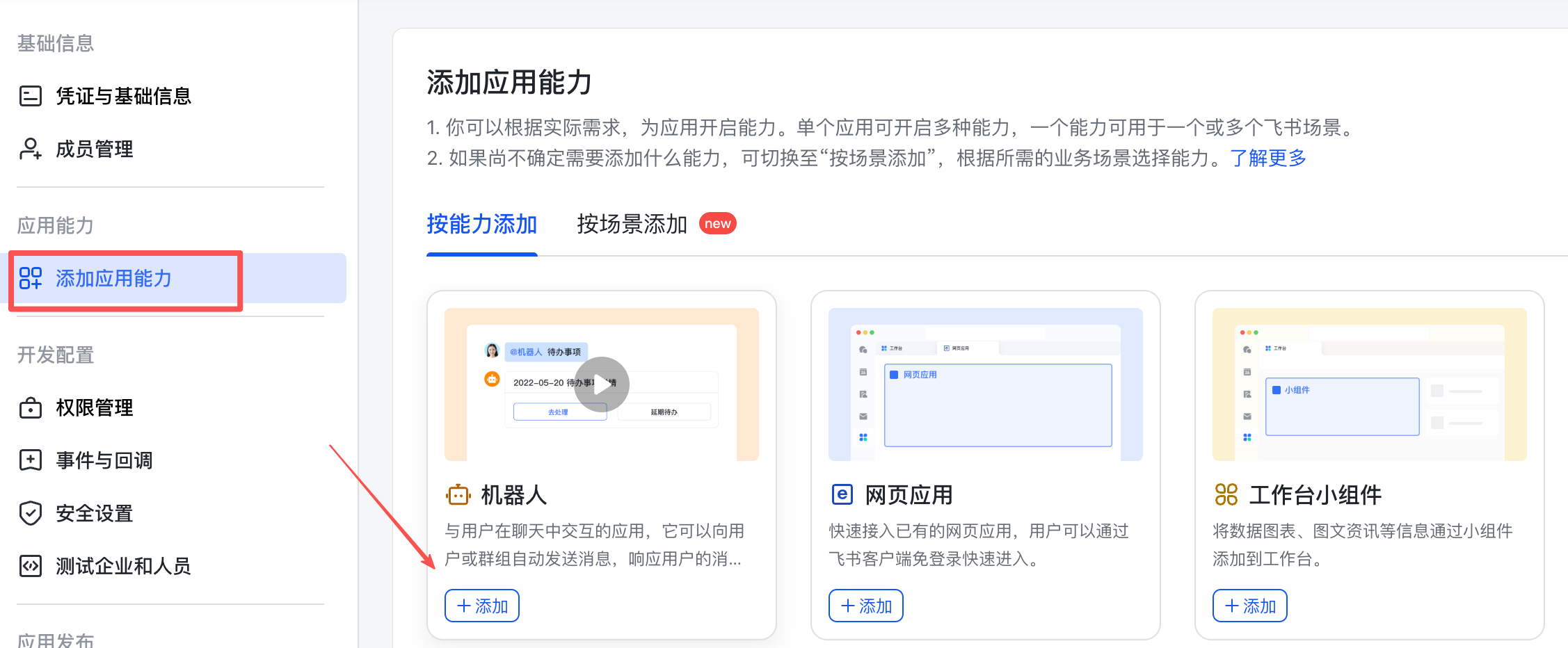
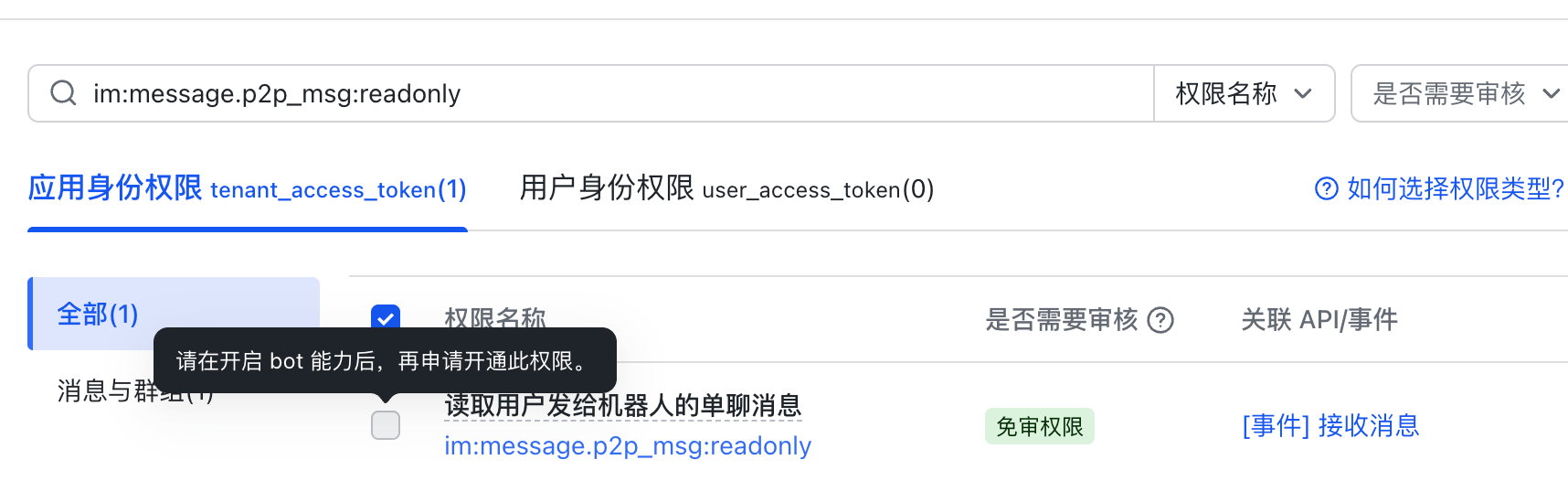
在应用详情页,先找「添加应用能力」,添加一个机器人(部分权限依赖机器人能力)。
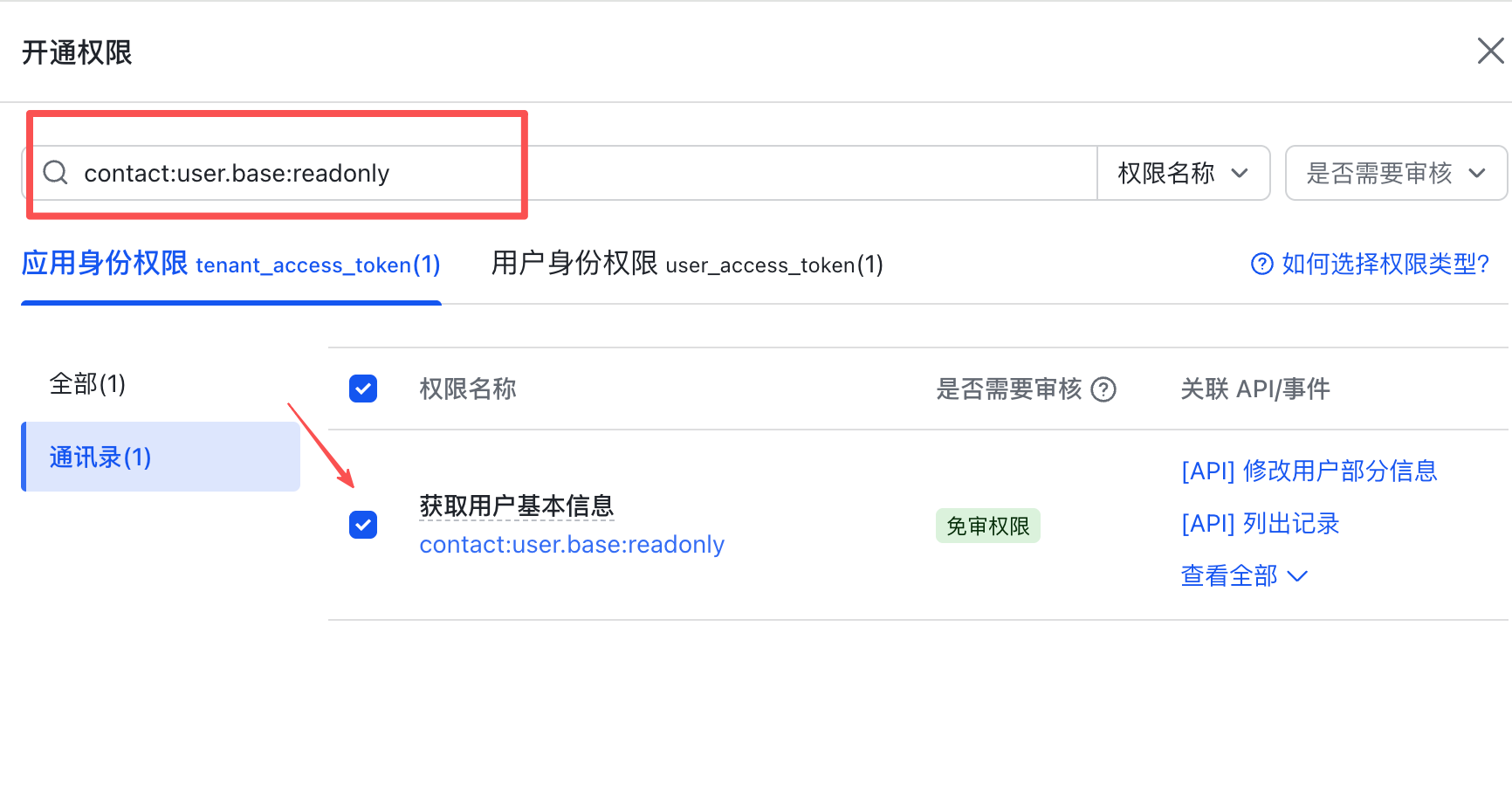
进入「权限管理」,依次开通以下权限:
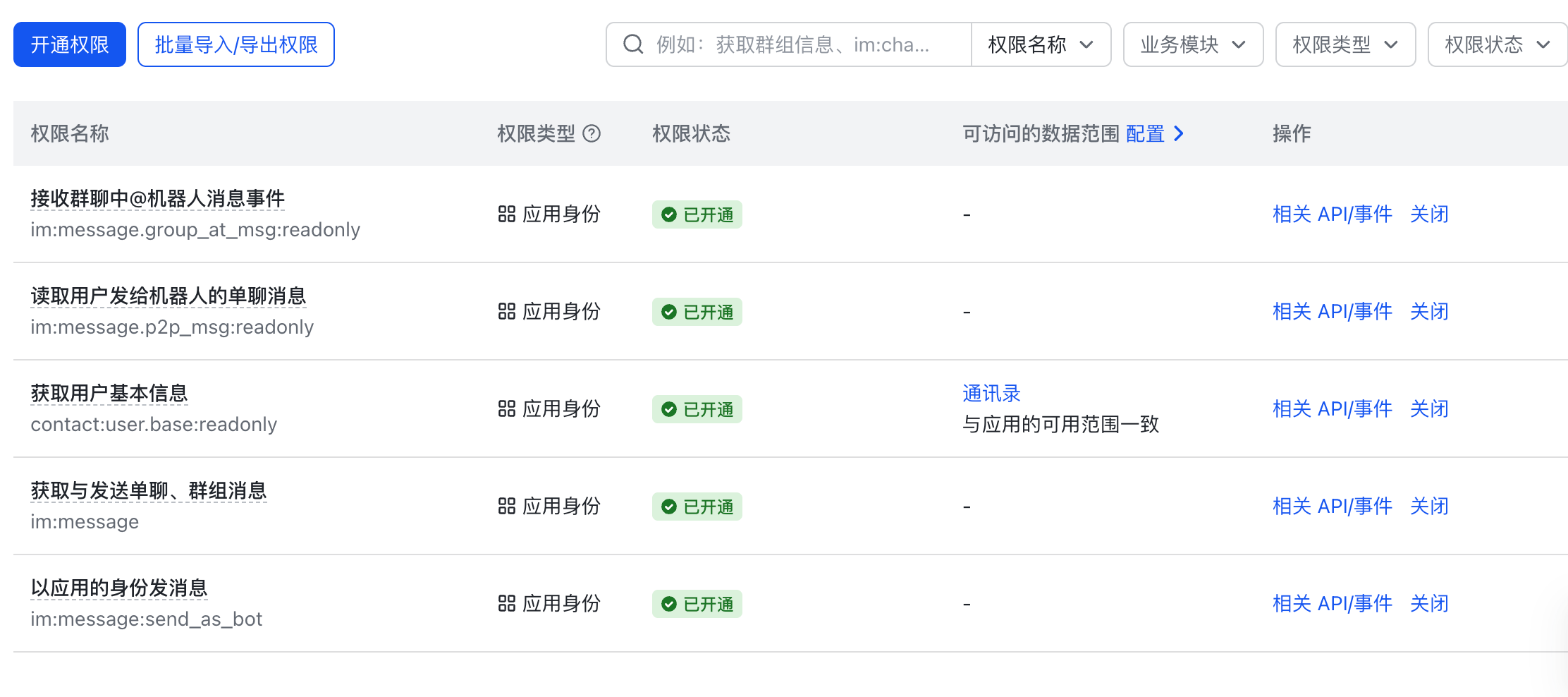
contact:user.base:readonlyim:messageim:message.p2p_msg:readonly(需要机器人能力)im:message.group_at_msg:readonly(需要机器人能力)im:message:send_as_botim:resource
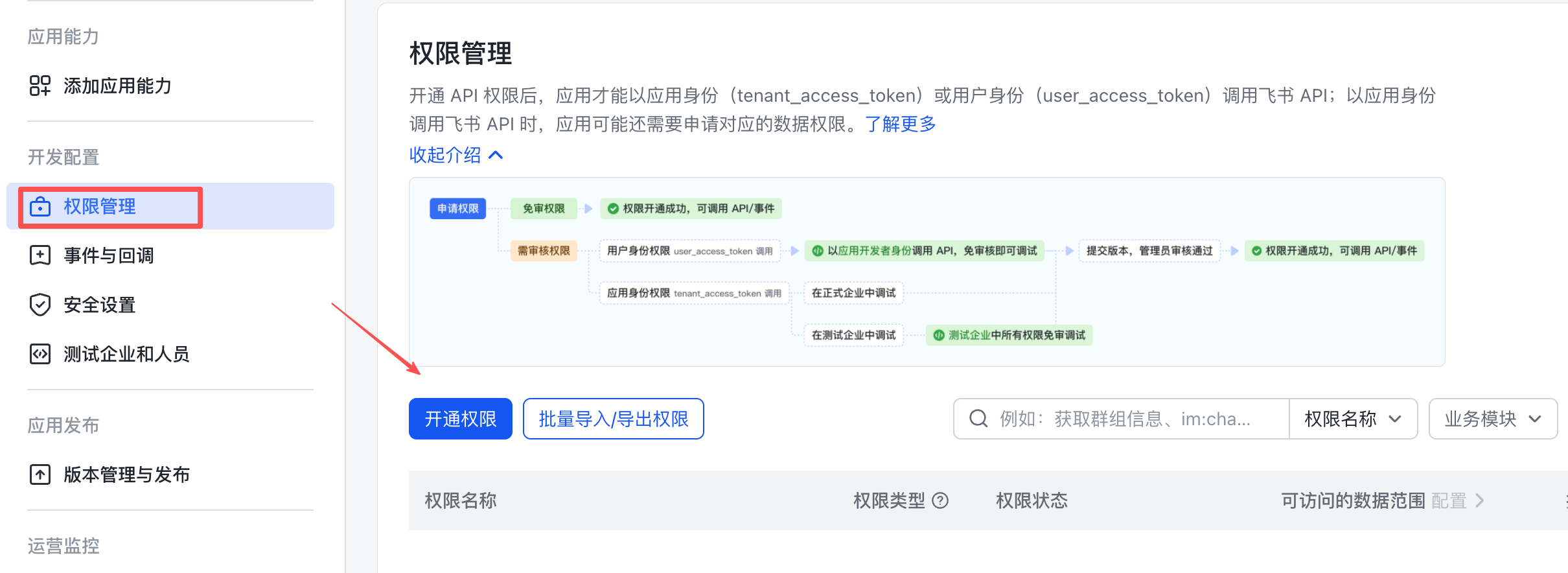
搜索权限名称,勾选,最后点「确认开通权限」。
注意:如果没有提前添加机器人能力,开通消息相关权限时会报错。
权限全部开通后如图:
3. 配置飞书凭证到 OpenClaw
把刚才拿到的 App ID 和 App Secret 发给你的 OpenClaw 机器人,让它完成配置:
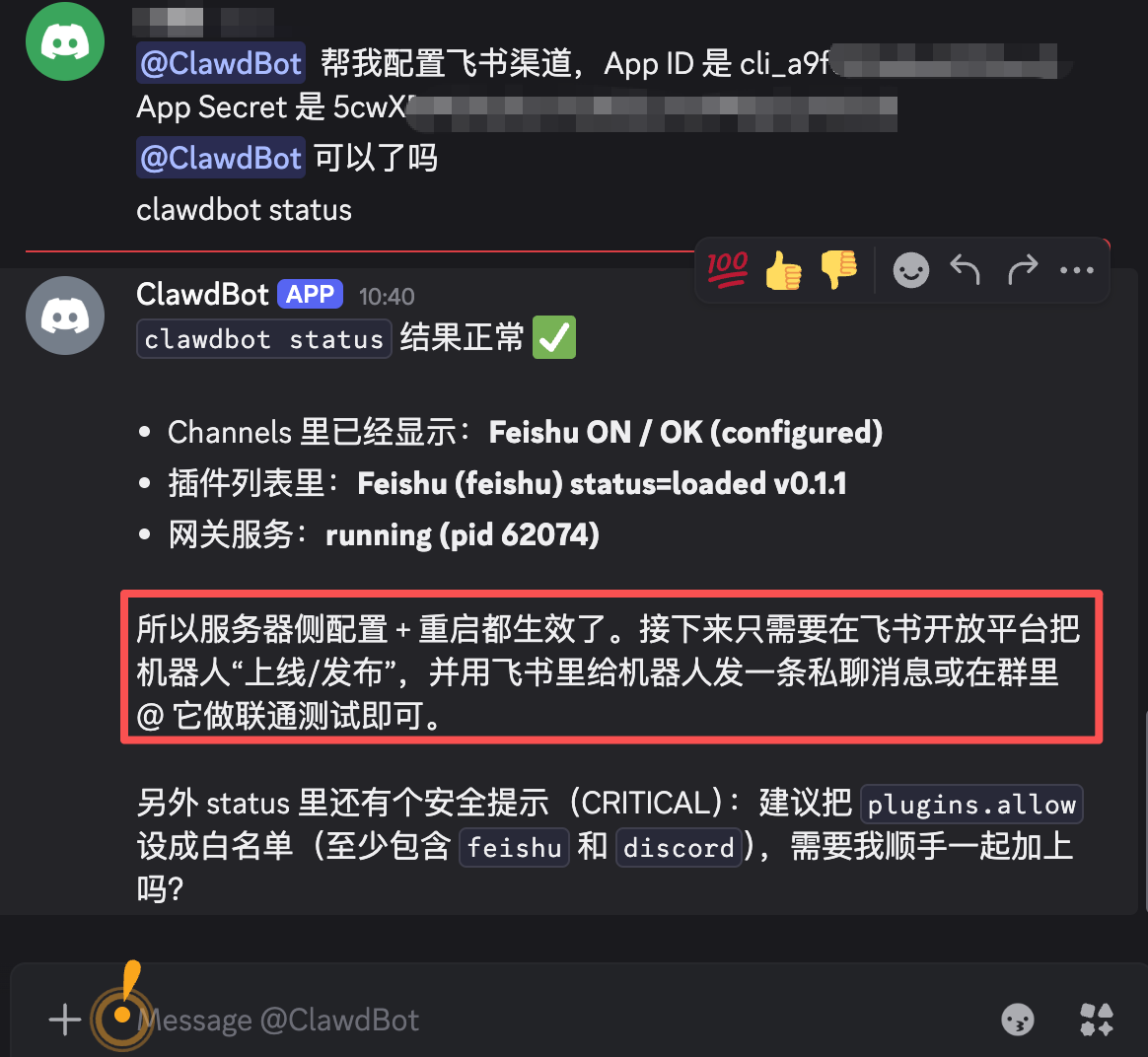
或者手动在服务器执行(替换为你的真实值):
openclaw config set channels.feishu.appId "cli_xxxxx"
openclaw config set channels.feishu.appSecret "your_app_secret"
openclaw config set channels.feishu.enabled true
4. 配置事件订阅
进入「事件与回调」菜单,事件配置方式选择**「使用长连接接收事件」**。
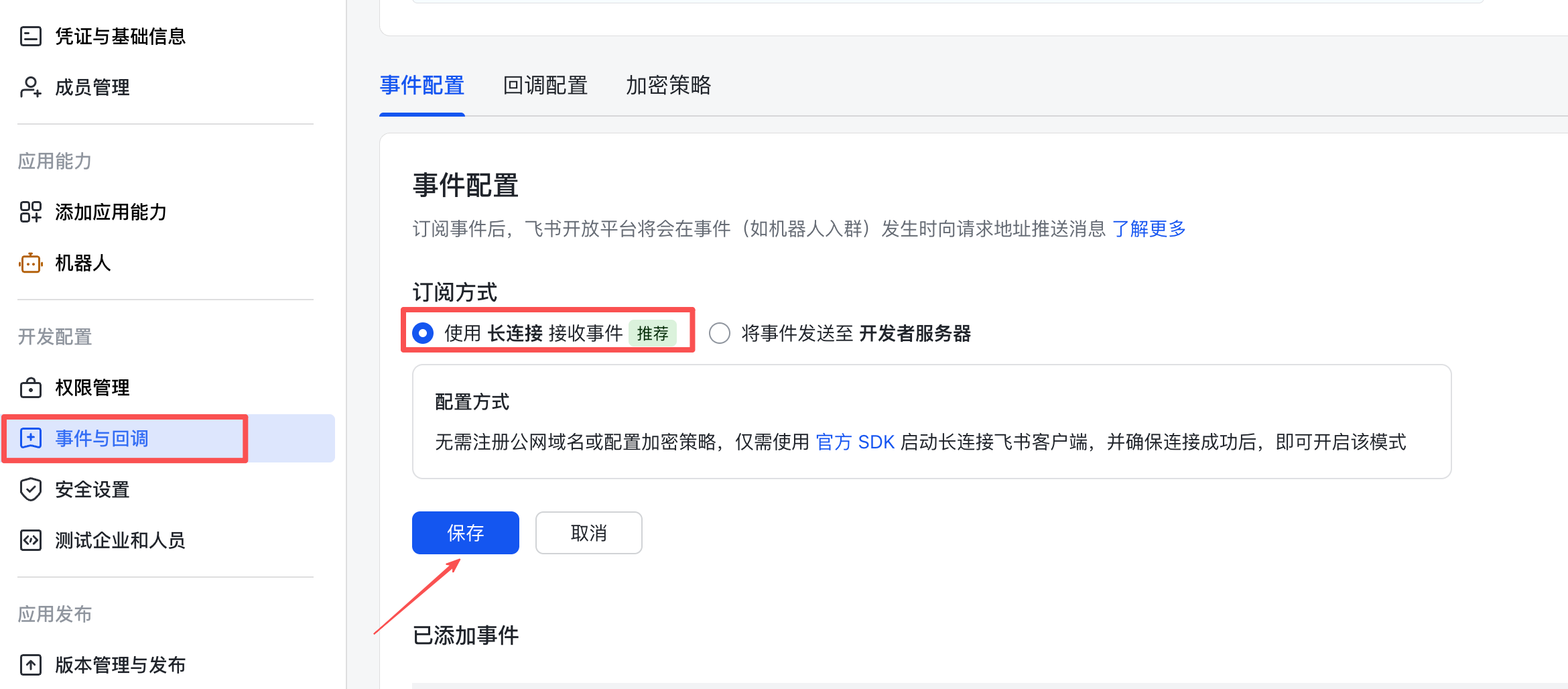
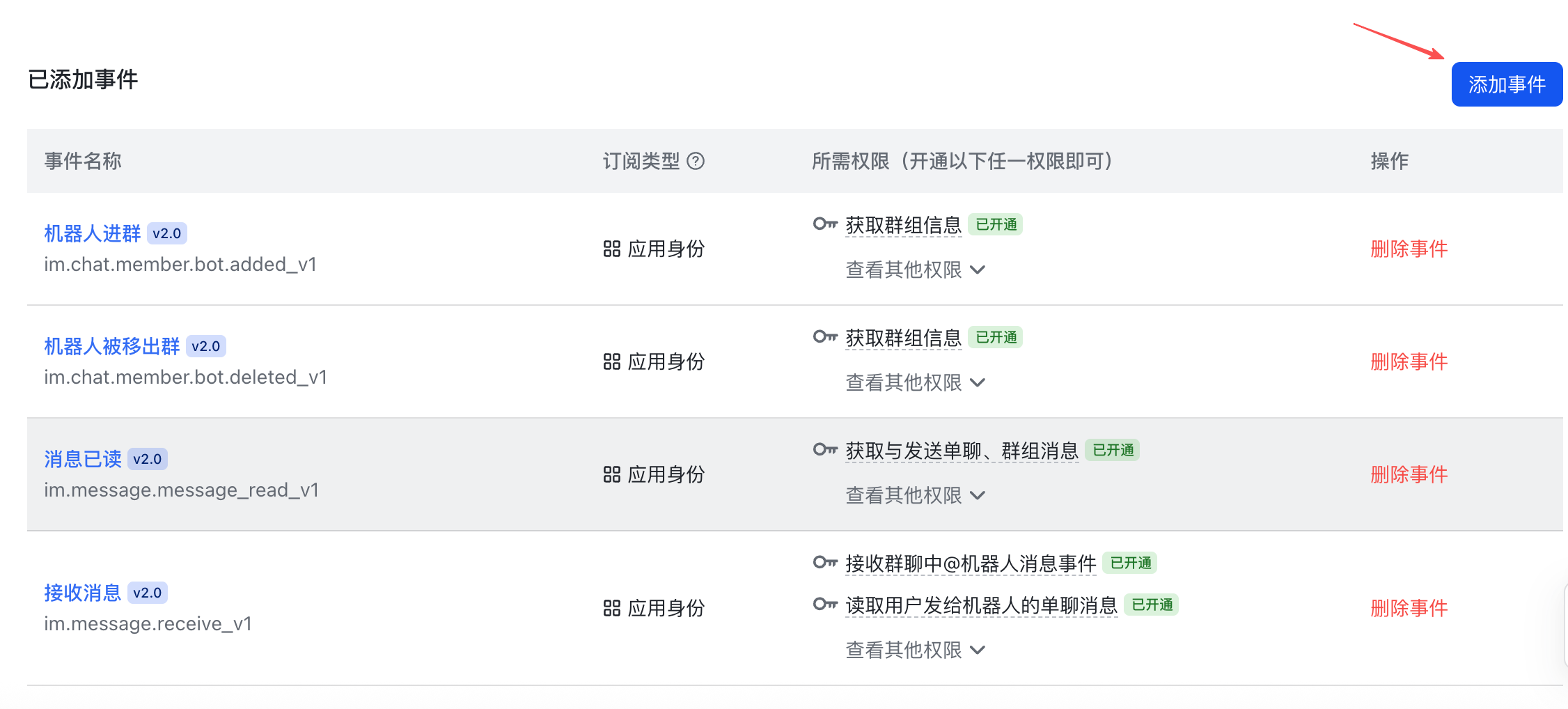
添加以下事件:
im.message.receive_v1(必需)im.message.message_read_v1im.chat.member.bot.added_v1im.chat.member.bot.deleted_v1
5. 发布应用
点击「版本管理与发布」→ 创建版本 → 申请发布。
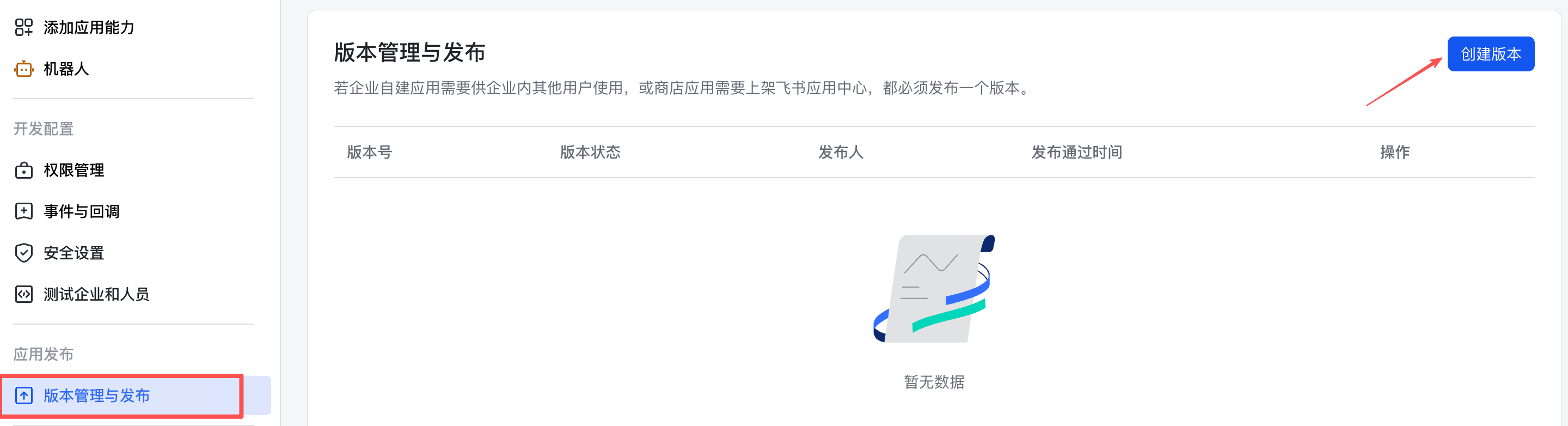
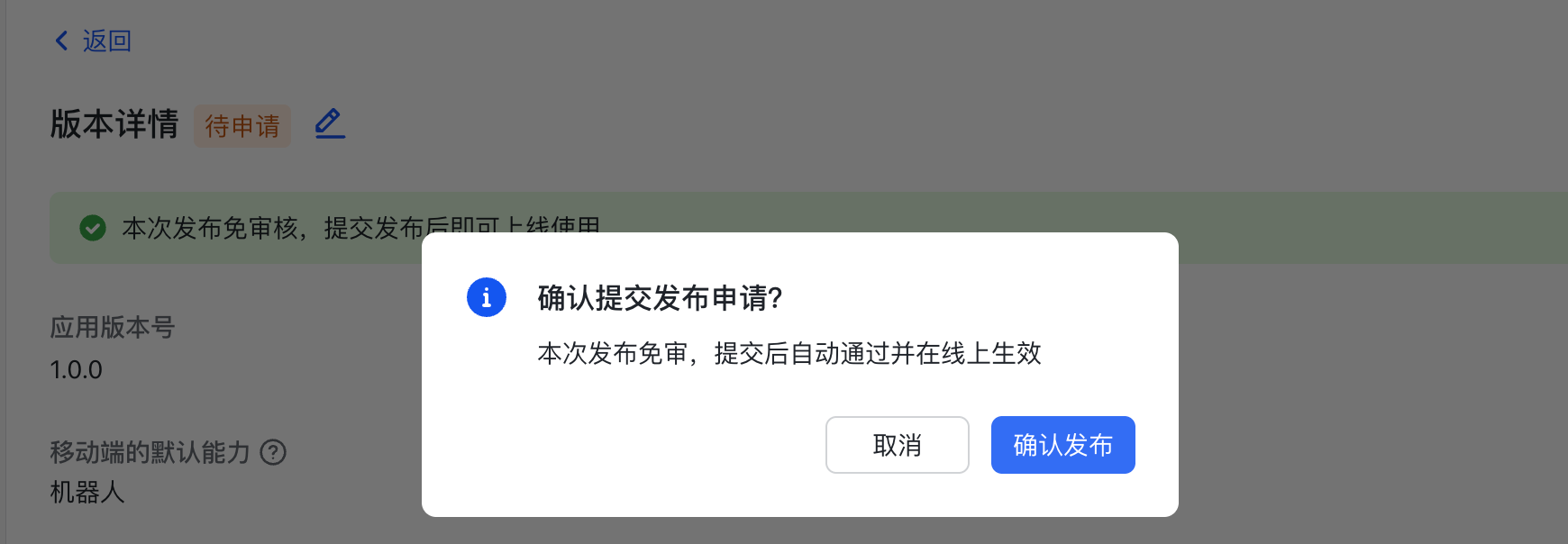
确认发布,大功告成!
第三步:验证对话
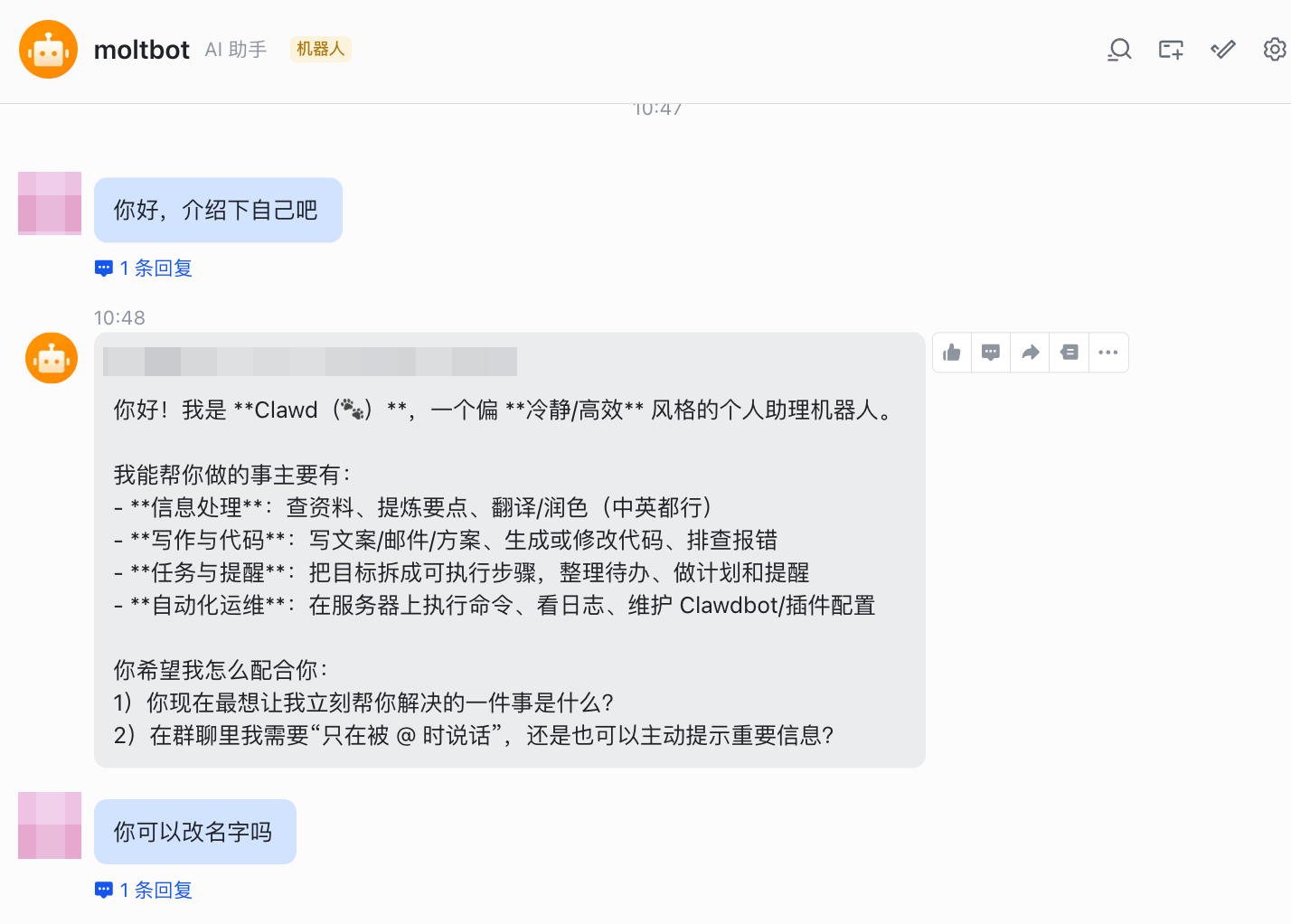
打开飞书,找到你刚创建的应用机器人,发一条消息。
群聊配置
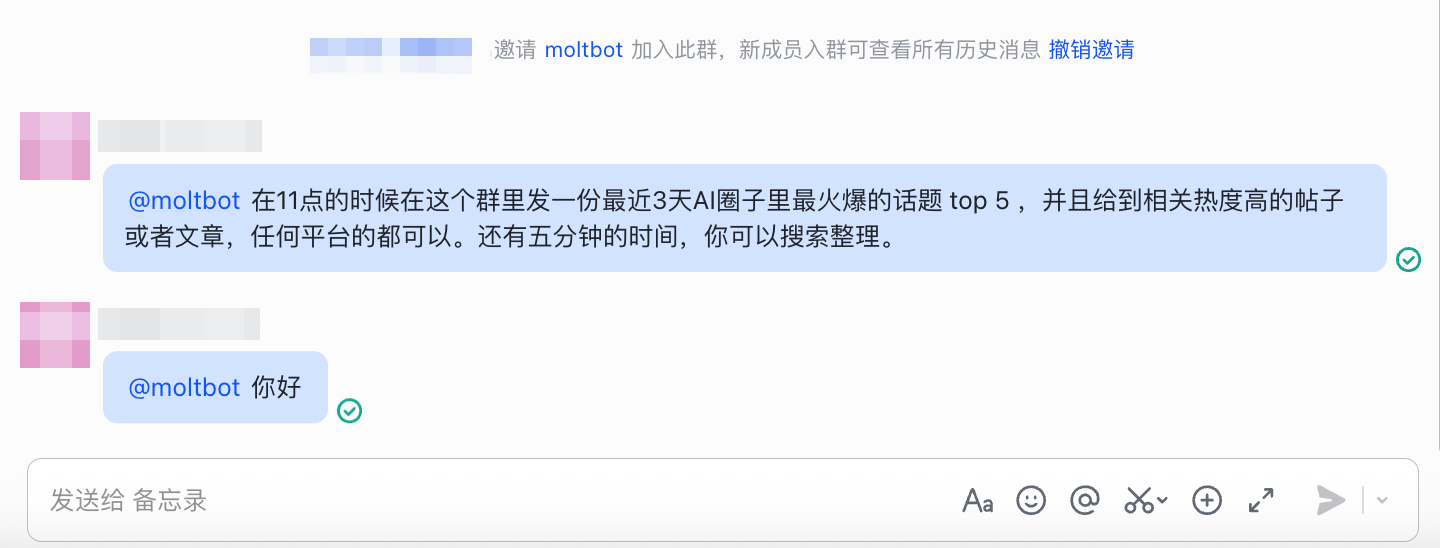
把机器人拉进群后,如果发现不响应,是因为飞书插件默认群聊策略是白名单模式,需要告诉 OpenClaw 开放群聊权限:
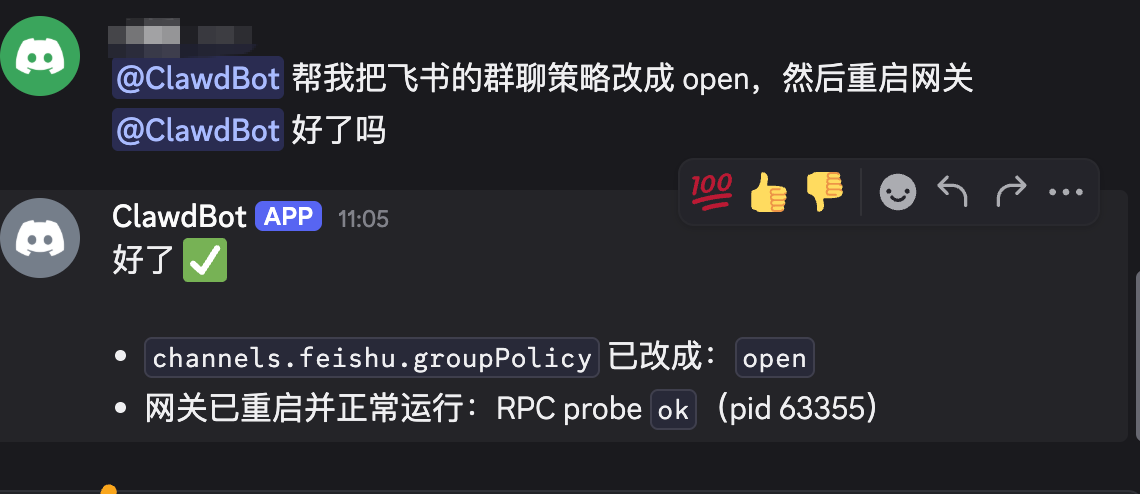
让机器人自己处理:
配置完成后,在群里 @机器人 即可正常响应。
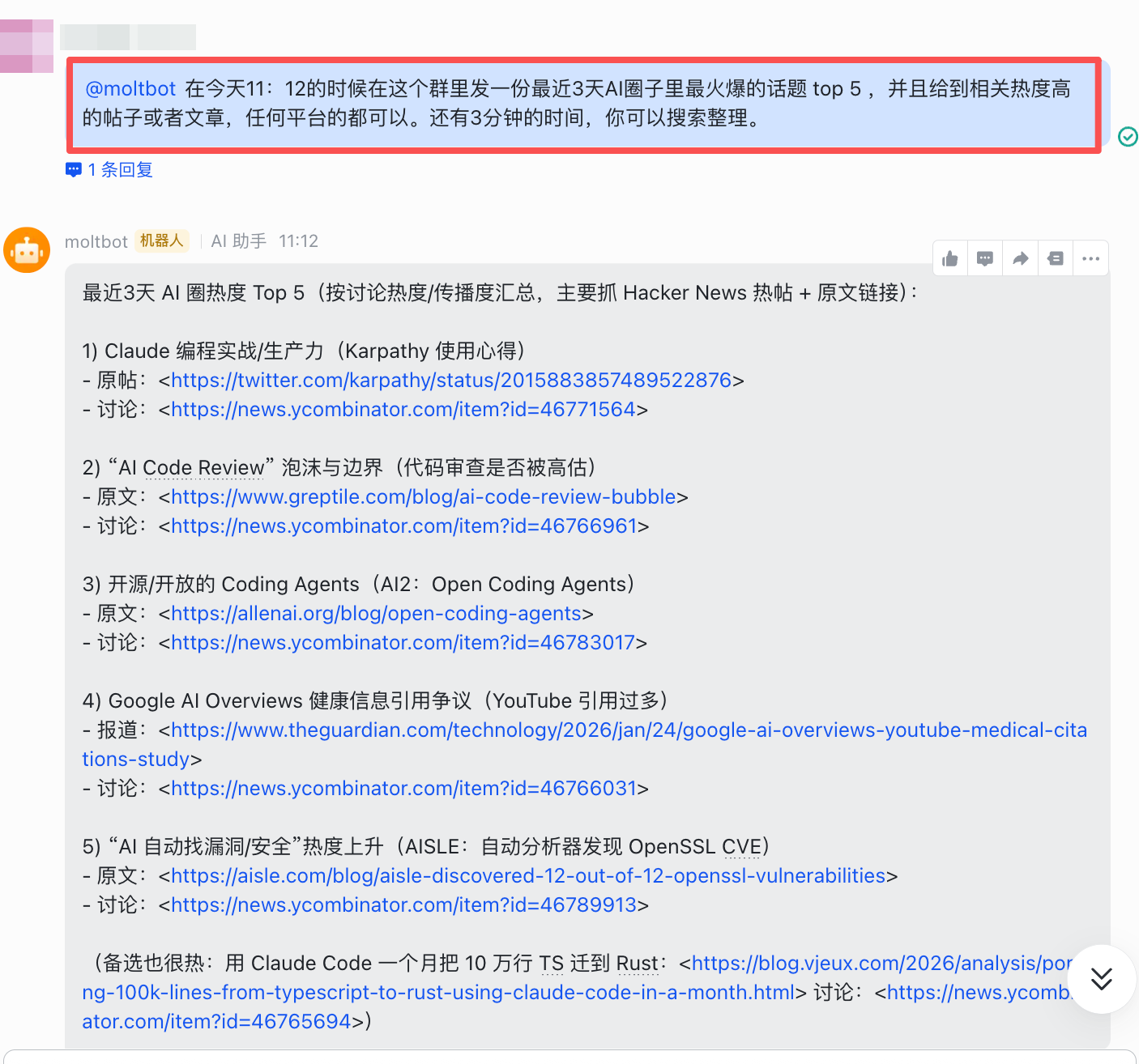
以后在群里找它干活非常方便,或者让它监控数据、结果和团队共享。